
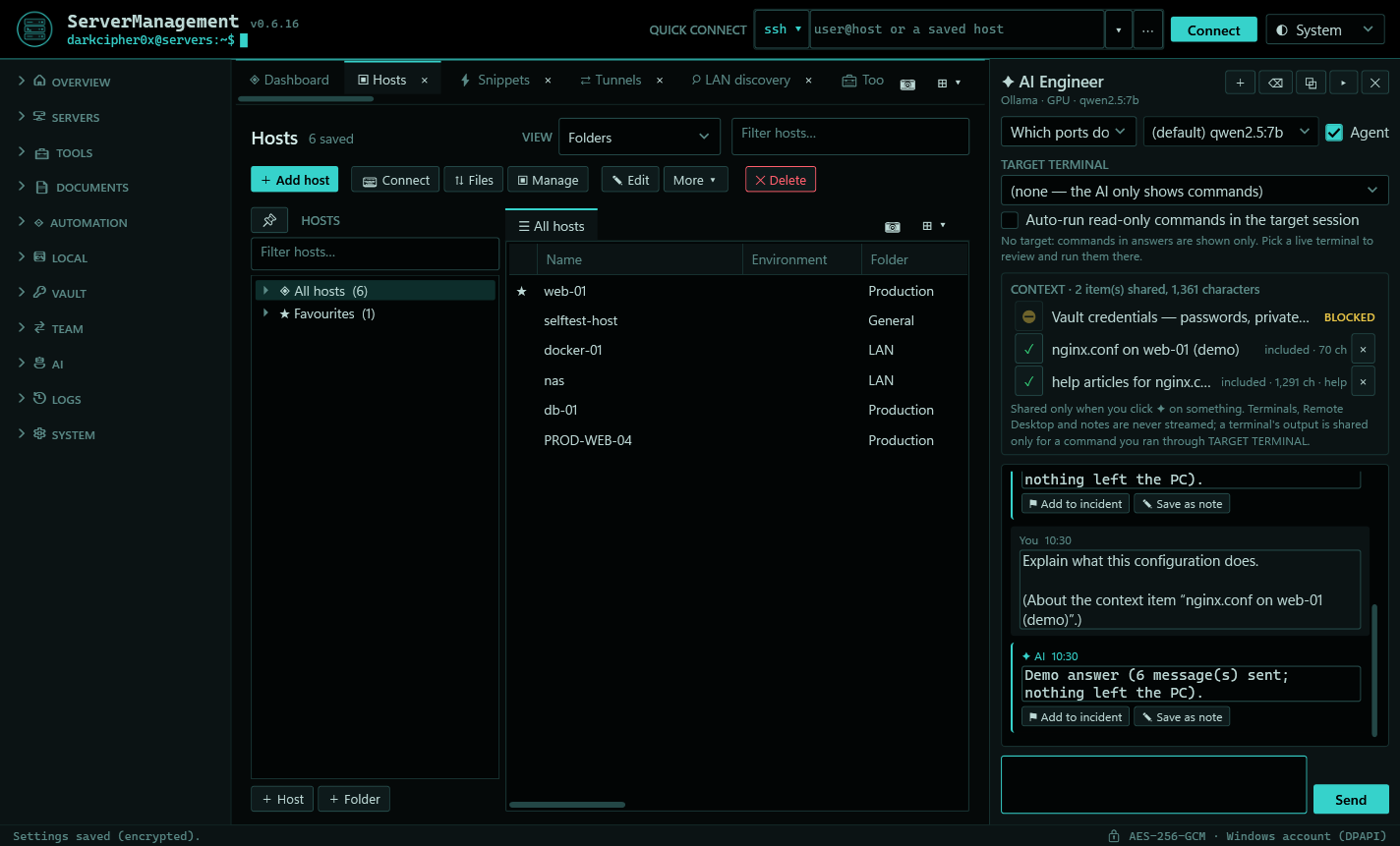
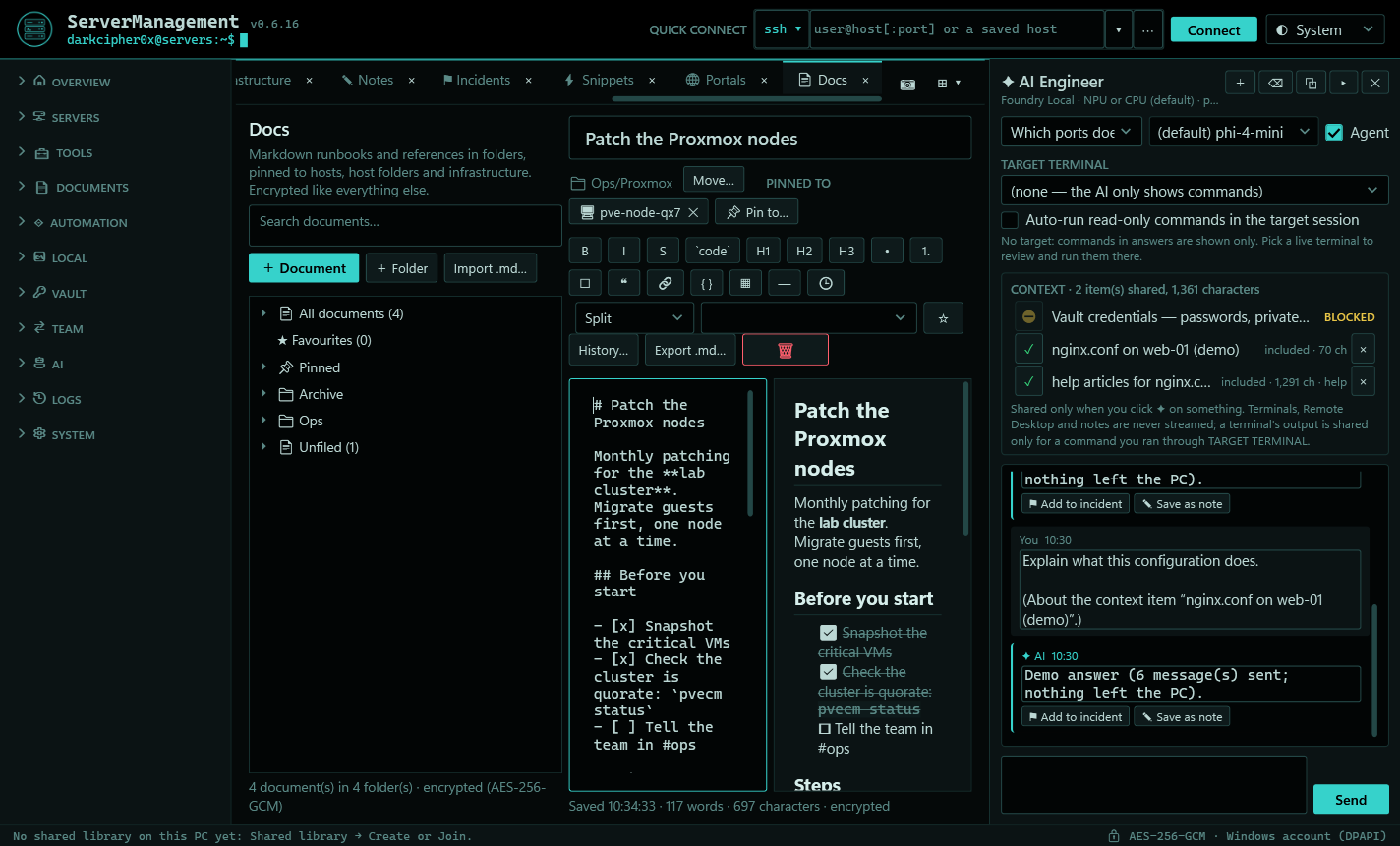
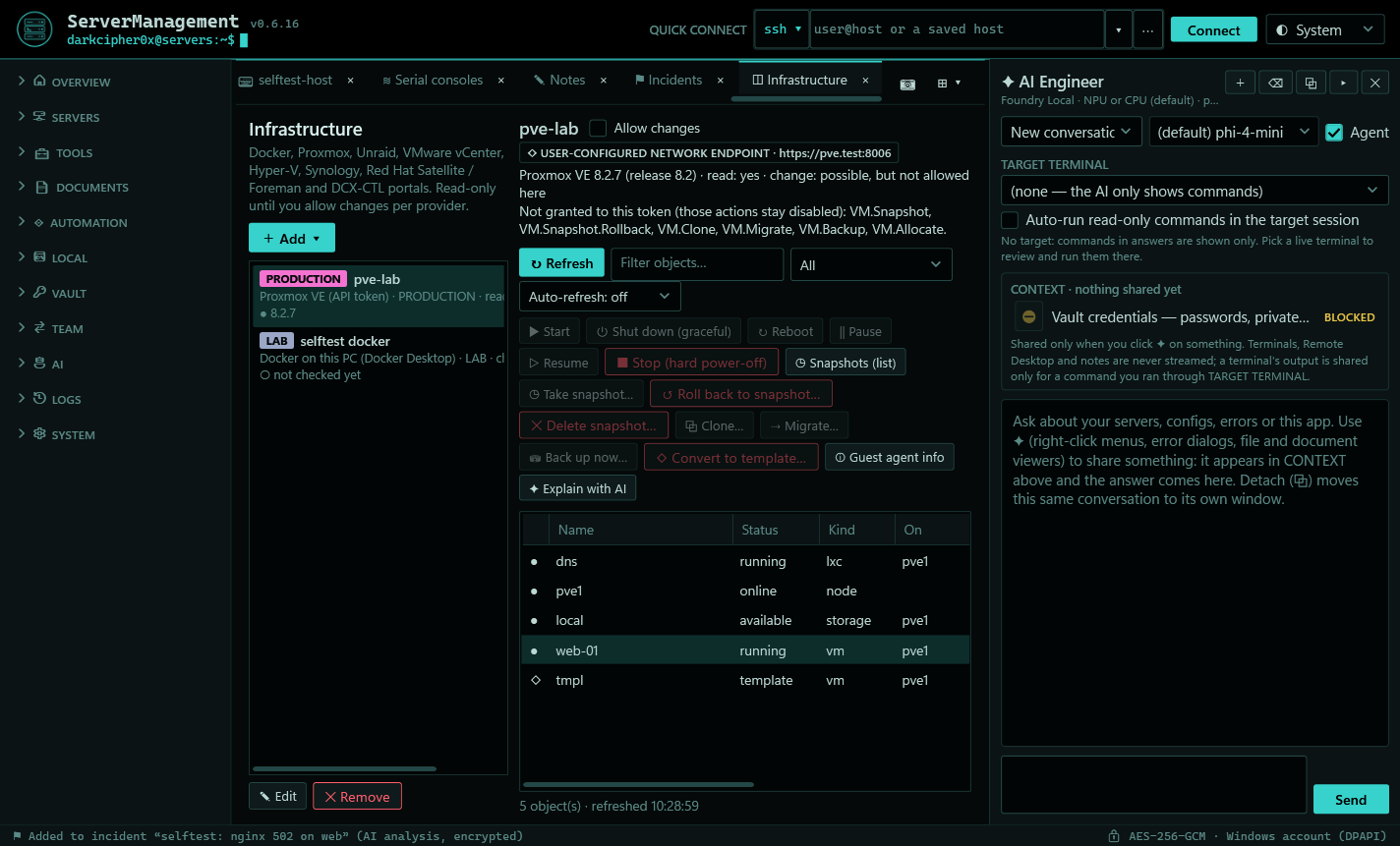
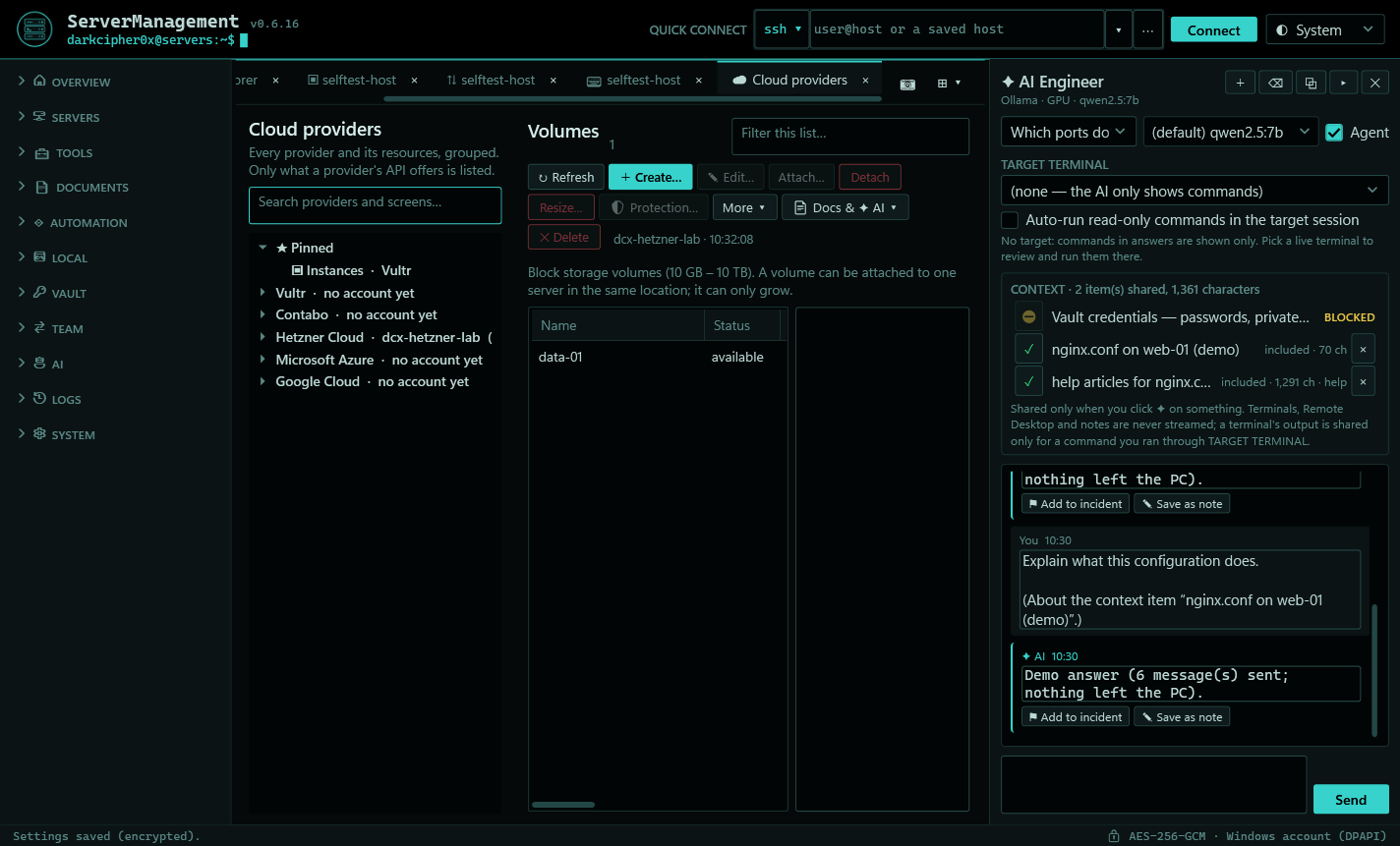
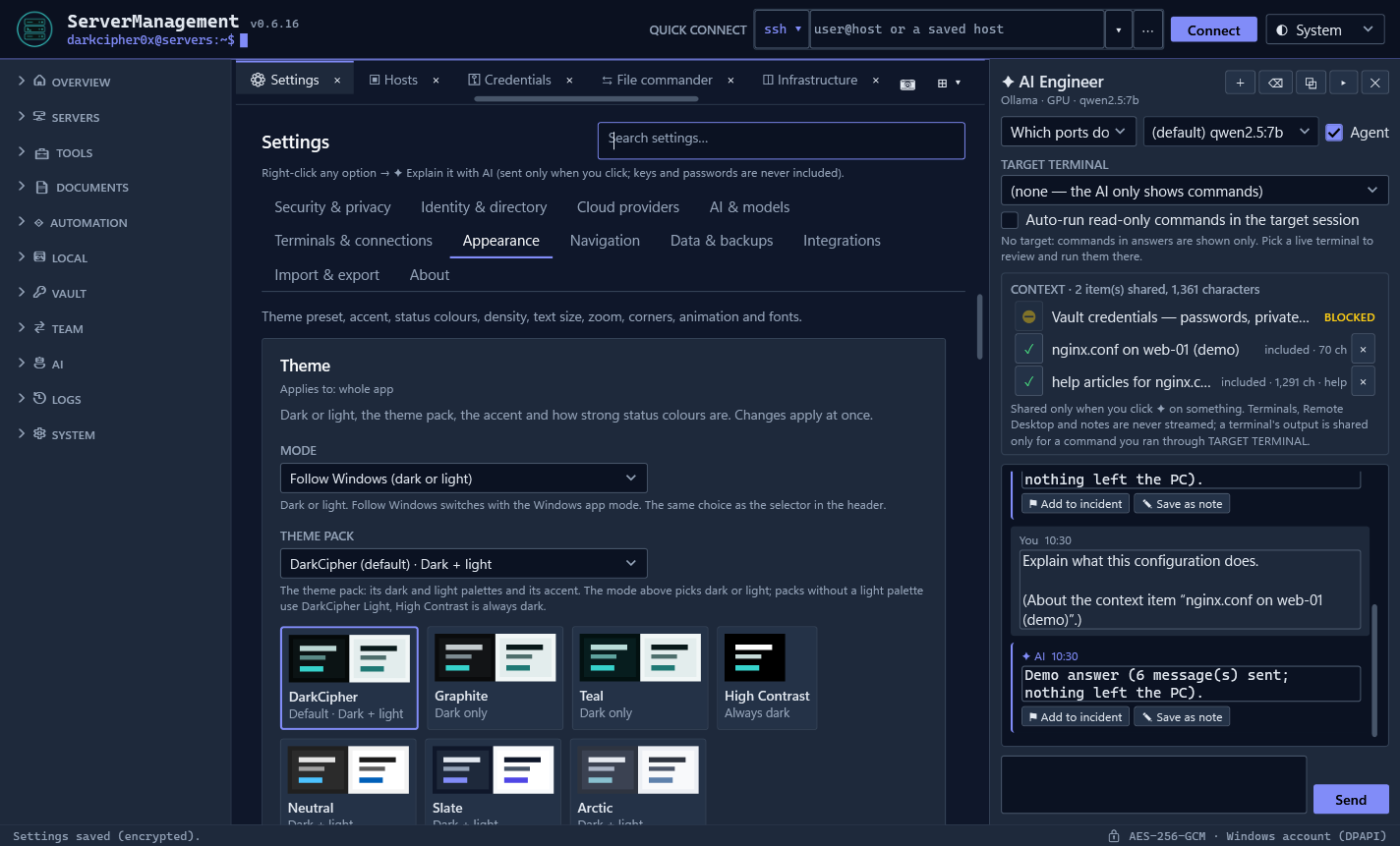
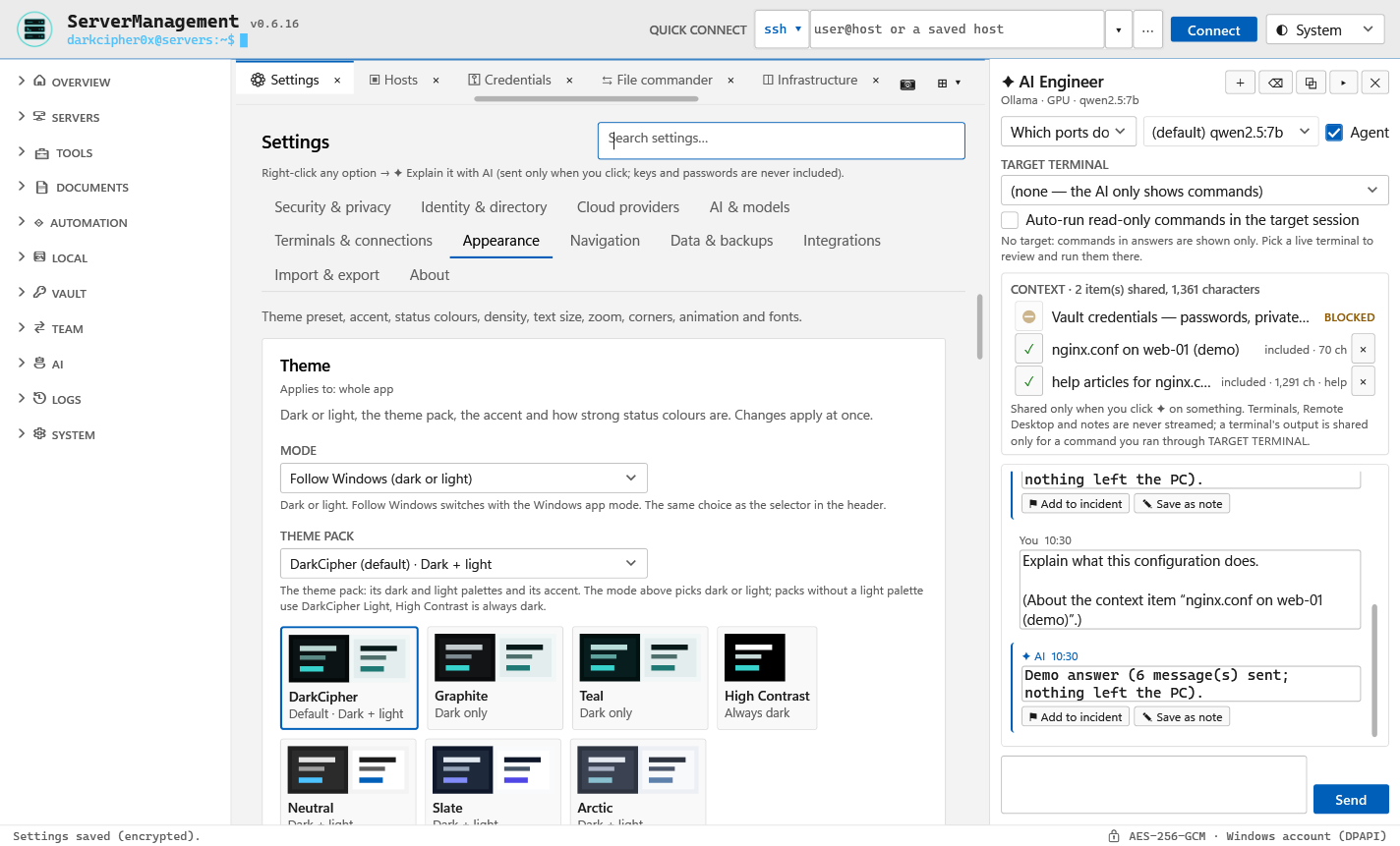
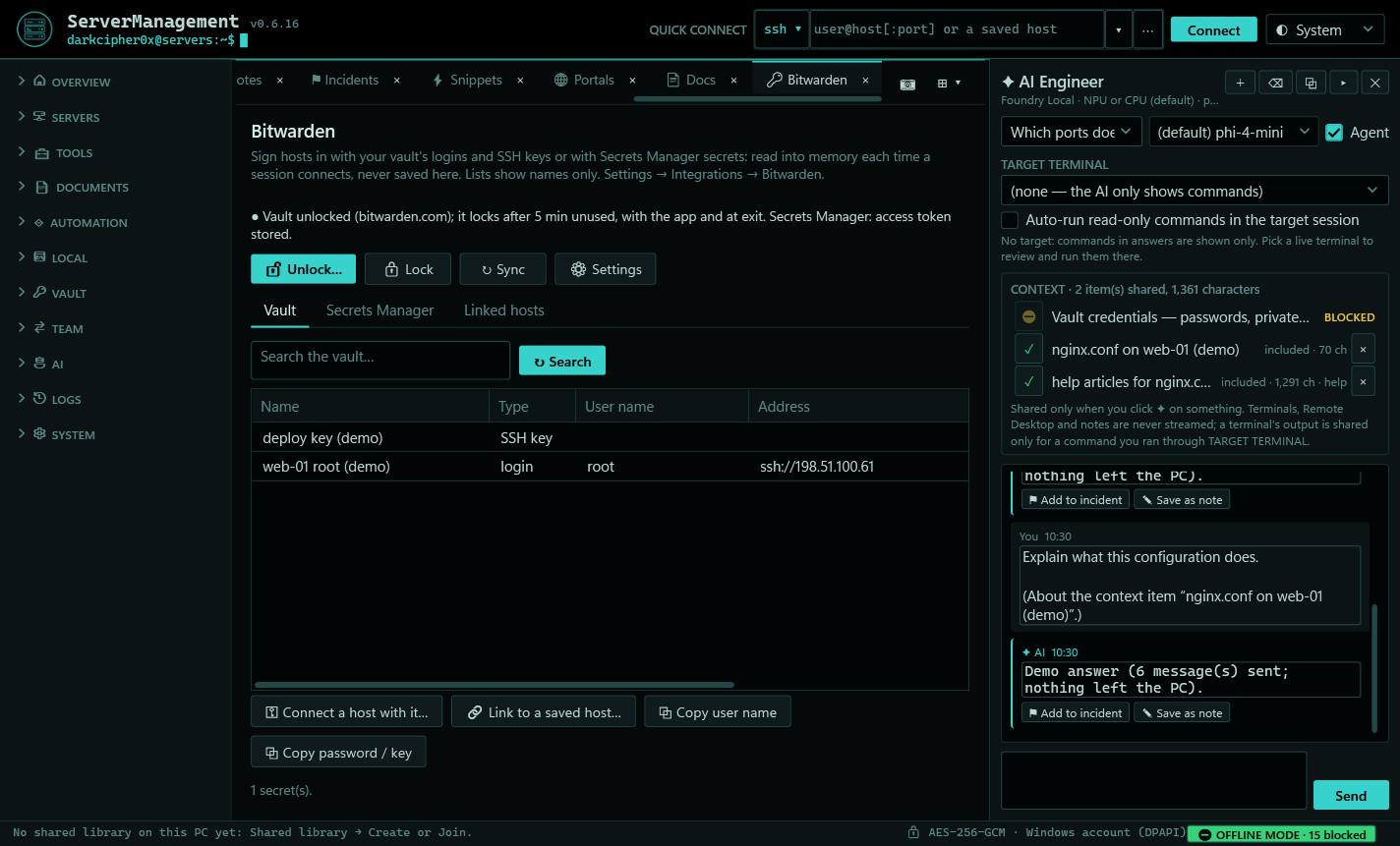
Screens from the release build's own self-test, with demo data (documentation addresses, made-up names).
Why I built it
ServerManagement is one of DarkCipher0x's favourite projects yet. It was designed around the day job of an infrastructure engineer: the hosts, the hypervisors, the clouds and the runbooks, in one place, without licences or per-seat pricing, and with security that a business can sign off. This public beta is the start: more systems are being added all the time, and all of it stays free and open source.
Every session in one place
- SSH, RDP and VNC: a real xterm terminal, embedded Remote Desktop, VNC for Mac and Linux desktops (through SSH by default), local PowerShell / cmd / WSL and serial consoles
- A real Hosts pane: folders, favourites, filters and drag and drop, pinned or auto-collapsing, with sessions opening right beside it
- Tabs, splits and monitors: split panes, extra windows for other monitors with their own host pane, broadcast input to many terminals
- tmux in one click: installed if it's missing, with your own config from Settings
- Files: SFTP with SCP fallback, a two-pane File commander, a verified, resumable transfer queue and a Vim-capable editor
- Jump hosts, tunnels and VPNs: chained jump hosts, local / remote / SOCKS forwards, WireGuard and OpenVPN profiles
Infrastructure and cloud
- Hypervisors and containers: Proxmox VE, VMware vCenter, Hyper-V, Unraid, Synology and Docker (over SSH or Docker Desktop)
- Five clouds: Vultr, Contabo, Hetzner Cloud, Microsoft Azure and Google Cloud, read-only until you allow changes, with destructive actions confirmed by name
- Microsoft 365: Windows 365 Cloud PCs (with power actions behind admin approval) and read-only Intune, Defender and Entra views
- Network & mail toolbox: ports and banners, traceroute / mtr, DNS, HTTP and TLS checks, SPF / DMARC / DKIM, blacklists, email headers
- Automation: Ansible and Puppet over your saved hosts, dry run first; snippets and multi-run
- Portals: router, NAS and hypervisor web UIs in tabs, a browser profile per environment, self-signed certificates pinned after you compare them
Docs: runbooks pinned to your servers
A Markdown editor built in, separate from notes. Keep runbooks and references in folders and pin them to the hosts, host folders and clusters they're about: right-click a host or a Proxmox cluster → 📄 Docs. Live preview beside the editor, a formatting toolbar and shortcuts, lists that continue themselves, task lists, an outline, revisions, and Markdown import / export. Every document is its own encrypted file, and the preview never downloads anything or runs HTML.
UniFi, with Ubiquiti's own API
Add a UniFi console by its address, or from anywhere through Ubiquiti's Cloud Connector, with an API key: sites, devices with their firmware, uptime, ports and PoE, clients, WiFi, VLANs, WANs, VPNs, firewall zones and policies, and guest vouchers. Restart a device, power-cycle a PoE port, adopt a new access point, let a guest in or generate vouchers, switch an SSID or a firewall policy: read-only until you allow changes, and every change is checked after it's done. UniFi Site Manager adds every console, site and ISP metric your account has.
Bitwarden and Password Safe: your credentials, everywhere
🔍 Find, beside every credential box, searches your Bitwarden vault, Secrets Manager and BeyondTrust Password Safe as you type, even across thousands of items. Pick a login, SSH key, secret or managed account once and use it anywhere a credential goes: hosts (cloud hosts too), sudo, Proxmox, vCenter, UniFi and the other infrastructure, portal sign-in and VPN keys. Each use reads it into memory and nothing secret is saved in ServerManagement. Password Safe checks the account out once and every use shares that checkout; dashboard checks never pop up a prompt.
Or link a host to a Bitwarden login, SSH key or Secrets Manager secret and every connection reads it into memory for that session, never saved in ServerManagement. It runs through Bitwarden's own CLIs (only builds signed by Bitwarden are started), signs in with your personal API key and asks for your master password when the vault is locked, then locks again when you're done, when the app locks and when it closes. Copies are cleared after 30 seconds and kept out of Windows clipboard history. Works with bitwarden.com, bitwarden.eu, self-hosted Bitwarden and Vaultwarden, with Group Policy for every setting.
An AI engineer you control
- Local by default: Foundry Local with the model that fits your PC (Qwen2.5 14B or 7B on a GPU, phi-4-mini on an NPU or a smaller PC), or Ollama; internet providers are opt-in
- Deploys servers when you ask: "a Vultr server called web-03, Ubuntu 24.04, 2 vCPU and 4 GB in London" becomes the cheapest matching plan (or the cheapest that runs the OS), shown with its price for your approval, then waited for, saved as a host and checked
- It shows what it sends: secrets are masked, credentials never leave, and every shared item is listed
- It asks first: commands run only in the terminal you're working in, read-only ones optionally on their own, everything else after you review it; PRODUCTION hosts need their name typed
Security, post-quantum ready
Everything ServerManagement saves (hosts, credentials, settings, notes, docs, logs, snapshots, backups) is encrypted with AES-256-GCM under one random data key, protected by your Windows account, a master password or Windows Hello. It's built for "harvest now, decrypt later": data recorded or copied today shouldn't be readable by a quantum computer tomorrow.
| Area | Protection |
|---|---|
| Everything saved | AES-256-GCM (quantum-safe); each file bound to its name; an encryption audit in Settings |
| Sign-in | Master password (PBKDF2, 600,000 rounds), Windows Hello as a post-quantum hybrid, two-factor codes, auto-lock |
| SSH | Hybrid post-quantum key exchange first (ML-KEM-768 + X25519, OpenSSH 10's default), and an option to require it |
| Team sharing | Shared libraries with hybrid ML-KEM-768 and ML-DSA-65 keys, end-to-end encrypted on your own file share |
| Updates | Signed twice (ECDSA P-256 and ML-DSA-65), refused unless both signatures verify |
| Runtime | .NET 10, Microsoft's long-term-support release with security fixes until November 2028, built into the program (nothing to install) |
| Organisations | Group Policy for every setting (ADMX templates), admin-approved security settings, locks, AD / LDAPS / Entra sign-in, syslog over TLS, a full audit log |
Every build runs the full self-test and a penetration-test suite before anything is packaged. The security report says what was tested, how, and what's still open.
Documentation
Every release ships its full documentation next to the installer:
- User guide: every screen and feature, step by step
- Business / admin guide: Group Policy for every setting, AD / LDAPS / Entra sign-in, logging, team features
- Developer guide: the architecture, the decisions (ADRs) and how to build it
- Security report: the penetration tests, the post-quantum design and the open items
- SBOM and policy templates: a CycloneDX bill of materials, and ADMX / ADML files for Group Policy
Download them from the GitHub release, or read the user guide below.
Make it yours
Seven theme packs, from the DarkCipher look to plain dark and light (Neutral, Slate, Arctic); your own branding, fonts and text size; a sidebar you can rearrange and pin.
Public beta. ServerManagement is provided as-is: keep backups of anything important. The installer isn't code-signed yet, so Windows SmartScreen will warn: check the SHA-256 first. Testers are very welcome: many integrations are built against the vendors' published APIs but haven't been run against a live account yet (Microsoft 365, Cloud PCs, Teams, BeyondTrust, Pingdom, Grafana, Elastic / Loki, Contabo, Hetzner, Azure, Google Cloud, vCenter, Hyper-V, Proxmox, Unraid, Docker, Puppet). If you use any of them, please report what you find or request a feature.